
 DE
DE  EN
EN Platform · IT Asset Management
IT Asset Management for Endpoint Power, Stability and Lifecycle Decisions
Auto Shutdown Manager (ASDM) by EnviProt includes practical IT asset inventory for managed clients. It helps IT teams find hardware, driver, operating-system and software conditions that can affect energy efficiency, endpoint stability, security review and lifecycle planning.
Operational scope
Asset visibility for managed ASDM clients
The asset view in Auto Shutdown Manager is focused on managed ASDM clients. It helps IT teams find hardware, driver, operating-system and software conditions that may influence endpoint power behaviour, reliability, user productivity and lifecycle planning.
Find technical conditions faster
Use collected inventory data to narrow down affected clients before troubleshooting power behaviour, driver reliability, software compatibility or hardware refresh questions.
Keep specialist systems in place
ASDM does not replace a dedicated IT asset management suite, CMDB or vulnerability scanner. It provides supporting endpoint inventory for ASDM-managed clients and operational review workflows.
Admin use cases
Find the clients that need attention
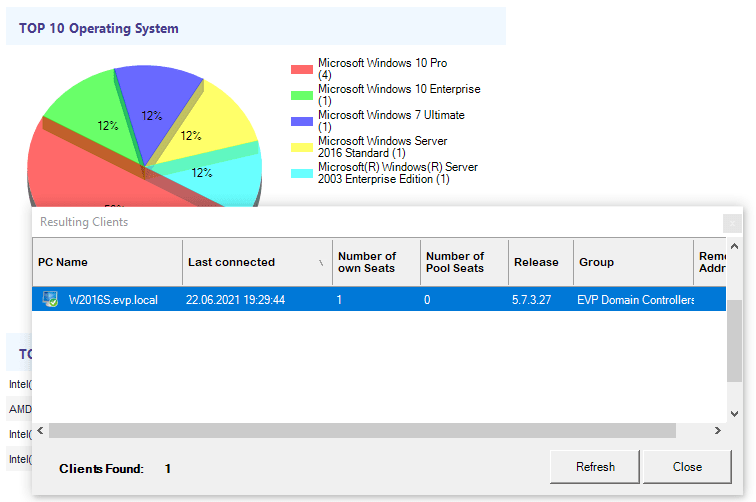
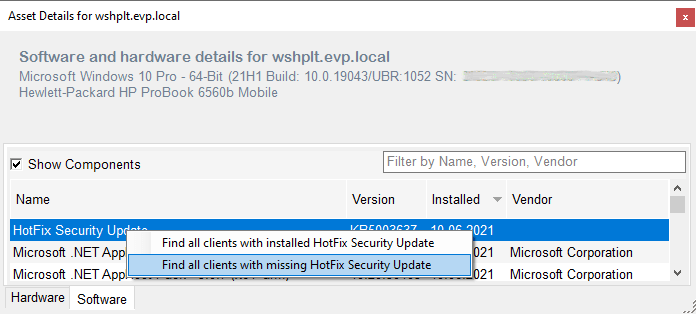
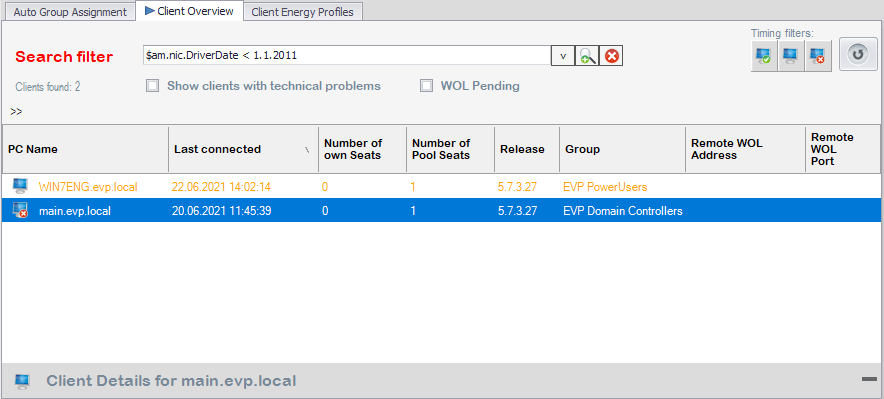
The value is not only the inventory itself. It is the ability to narrow a question down to the affected clients: which machines have a certain software version, an older network driver, a specific operating system, a hardware model or a virtual/physical endpoint type?
Security and exposure review
Use collected software, driver, BIOS and operating-system data to identify clients that may need closer review by IT security or endpoint management teams.
Power and stability troubleshooting
Outdated drivers and unstable endpoint components can affect sleep, wake, display power handling and user productivity. Asset visibility helps admins find the candidates faster.
Lifecycle and standardisation
Compare PC models, CPUs, disks, memory, network adapters and operating systems to support hardware refresh, standardisation and support planning.
Console proof
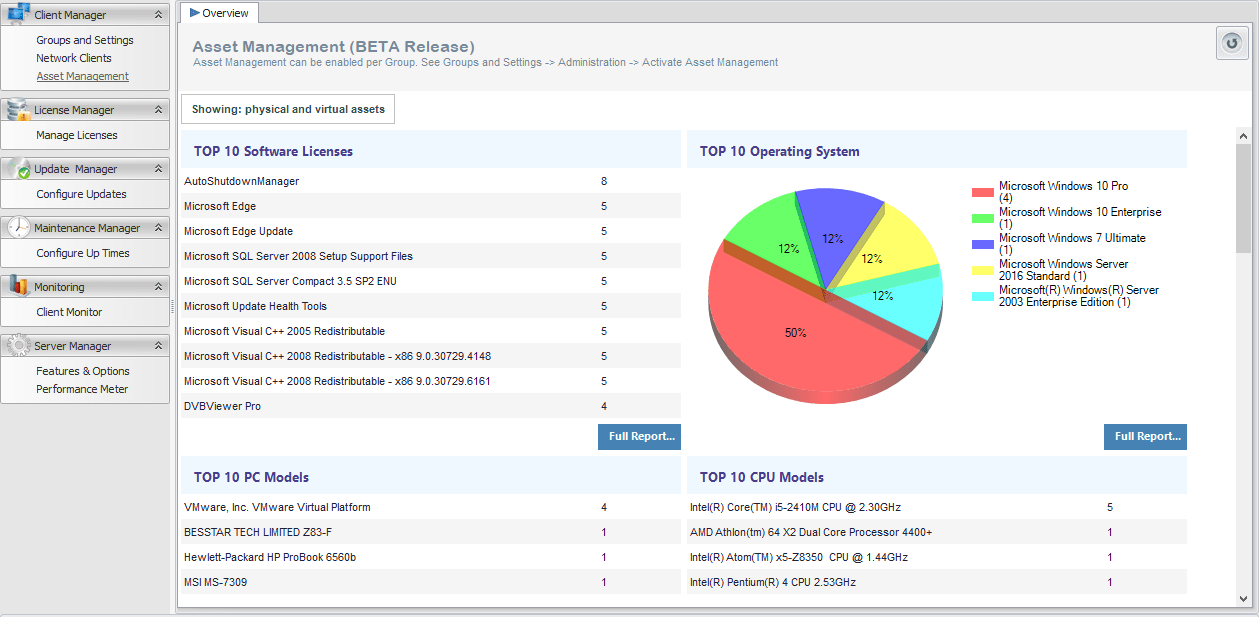
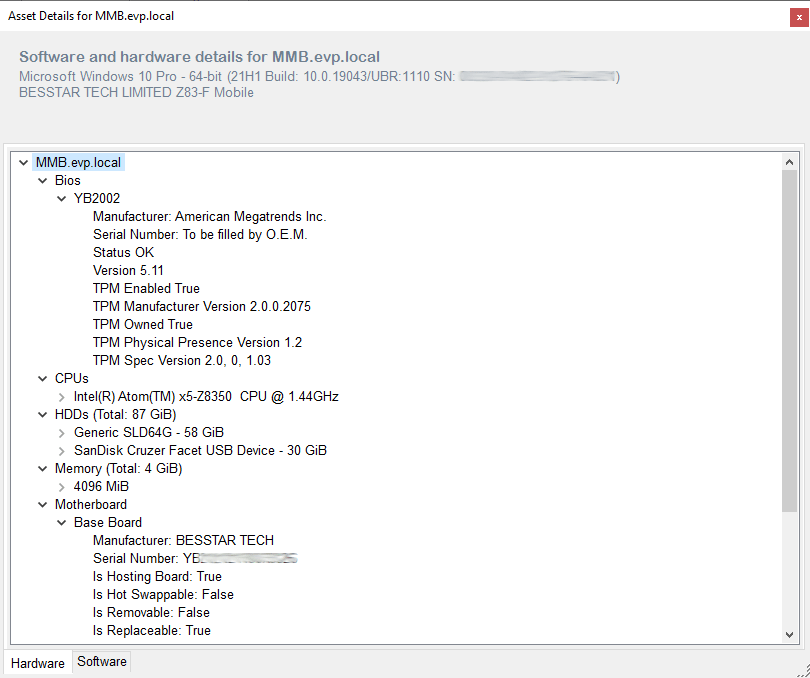
From asset overview to affected-client discovery
The Management Console lets admins move from a high-level asset overview into concrete client lists and detailed hardware or software records.
Collected inventory
Hardware, software and operating-system data in one place
Asset data is collected from managed ASDM clients and can be used to support troubleshooting, standardisation and reporting workflows. The available detail depends on the client environment and collected system data.
Operating systems and PC types
Review operating-system distribution, desktop/mobile split and physical or virtual endpoint balance.
Hardware components
Inspect PC models, CPU models, disk models, memory modules, monitors, video controllers, printers and motherboards.
Drivers, BIOS and adapters
Use BIOS, network-adapter and driver-related information to support stability reviews and endpoint lifecycle decisions.
Installed software
Search installed software entries and versions to find clients that may need review, cleanup, updates or license discussion.
Regular collection
Asset information is gathered automatically from client systems and updated on the server, reducing manual checks during day-to-day operations.
PDF, Excel and CSV
Asset reports can be exported for operational review, lifecycle planning and management discussions.
Reports for IT and leadership
Turn endpoint inventory into reportable evidence
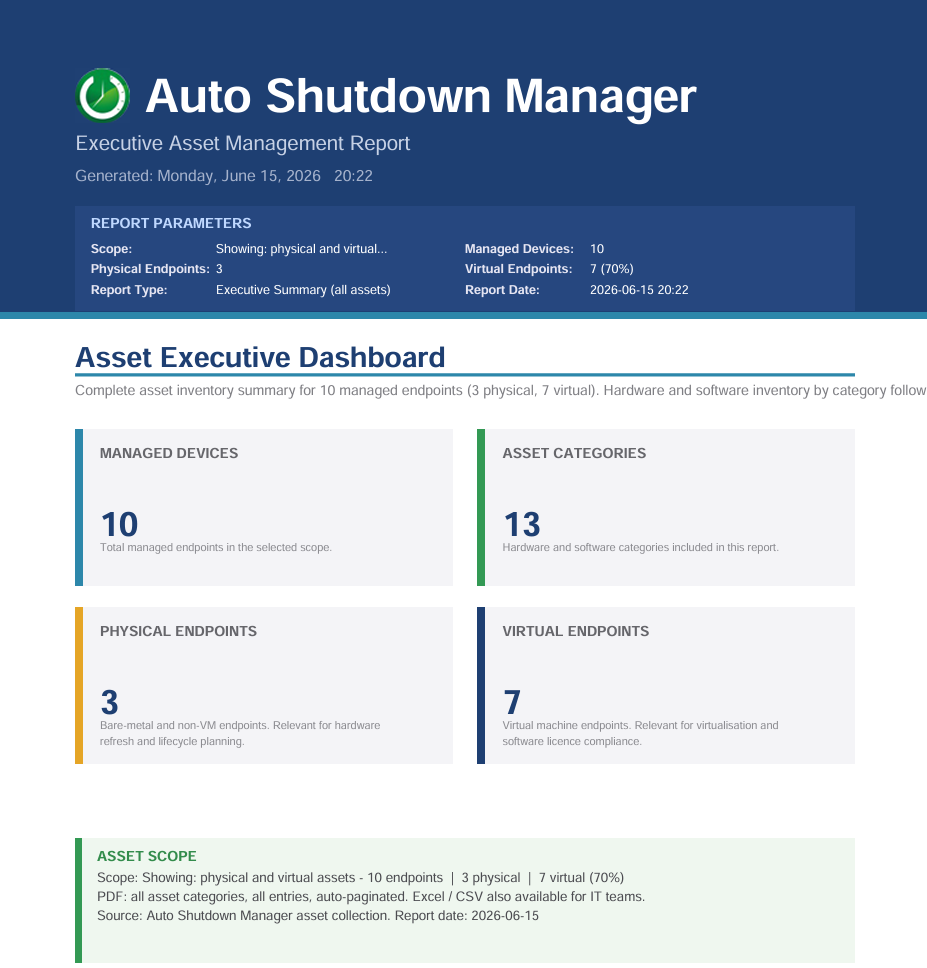
The Executive Asset Management Report groups collected assets by category and can separate physical and virtual endpoints. This supports lifecycle planning, software review, standardisation and stakeholder communication.
Managed devices
Summarise the number of managed endpoints in the selected reporting scope.
Asset categories
Group hardware and software inventory into reportable asset categories.
Physical vs. virtual
Distinguish bare-metal endpoints from virtual machines where the collected data allows it.
Exportable output
Use PDF, Excel or CSV export for IT operations, lifecycle planning or review meetings.
Operational fit
Where ASDM asset data is useful
ASDM asset inventory is most useful where endpoint inventory meets power-management operations.
Find hardware, drivers or software that may affect sleep, wake or display power behaviour.
Connect asset visibility to managed endpoint power policies and operational troubleshooting.
Identify endpoint groups with ageing drivers, mixed hardware or inconsistent software versions.
Quickly narrow down affected managed clients and review their details in context.
Asset data can help IT locate outdated software, drivers or system versions for further review.
Provides supporting inventory evidence. It does not replace dedicated vulnerability management.
Compare OS, PC models, CPUs, disks, memory and virtual/physical endpoint distribution.
Exportable reports support refresh planning and standardisation discussions.
Admin questions
IT Asset Management FAQ
Does ASDM replace a dedicated IT asset management or CMDB system?
No. ASDM does not try to replace a dedicated asset management suite, CMDB or vulnerability scanner. Its inventory is focused on managed ASDM clients and supports power management, stability analysis, lifecycle planning and operational troubleshooting.
Can admins find clients with a specific software product or version?
Yes. The software inventory can help identify managed clients with specific installed software entries or versions, where that information is collected and available from the client system.
Can asset data help find outdated drivers or hardware risks?
It can support that workflow. ASDM can show hardware, BIOS, network-adapter and driver-related information that helps IT narrow down clients for further review. Dedicated security or vulnerability tools may still be required for formal risk assessment.
Can the asset inventory be exported?
Yes. Asset information can be exported as PDF, Excel or CSV reports for IT operations, lifecycle planning and management review.
How often is asset information updated?
Asset information is collected automatically from managed client systems and updated on the server. The current page focuses on the operational use of that data; exact collection behaviour should be validated in your ASDM environment.
FIND THE AFFECTED CLIENTS
Use endpoint inventory where it improves power, stability and lifecycle decisions.
Start with a managed group, review collected asset data and validate how ASDM inventory supports your endpoint power-management rollout.