
 DE
DE  EN
EN ASDM product tour
See Auto Shutdown Manager in action
Auto Shutdown Manager (ASDM) gives IT teams one place to organise endpoints, apply safe shutdown rules, coordinate wake and maintenance workflows, support remote access and verify the results.
The screenshots use demo or anonymised data. Available panels and details can vary by ASDM version and enabled modules.
Central control
Monitor endpoints and organise policy groups
Start with the operational view: which clients are online, which systems need attention and which policy group controls each endpoint.
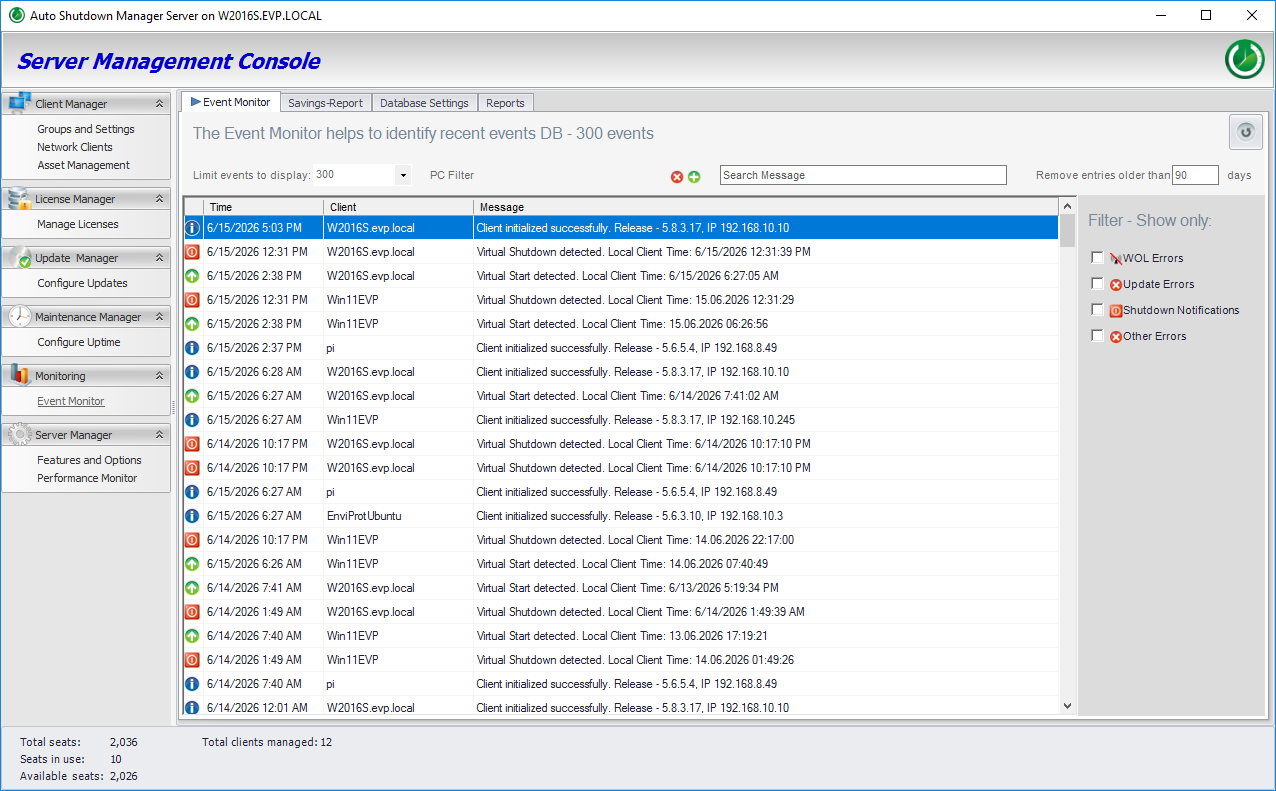
Monitor client activity and status
Review endpoint events, connectivity and current state from the central management console instead of checking devices one by one.
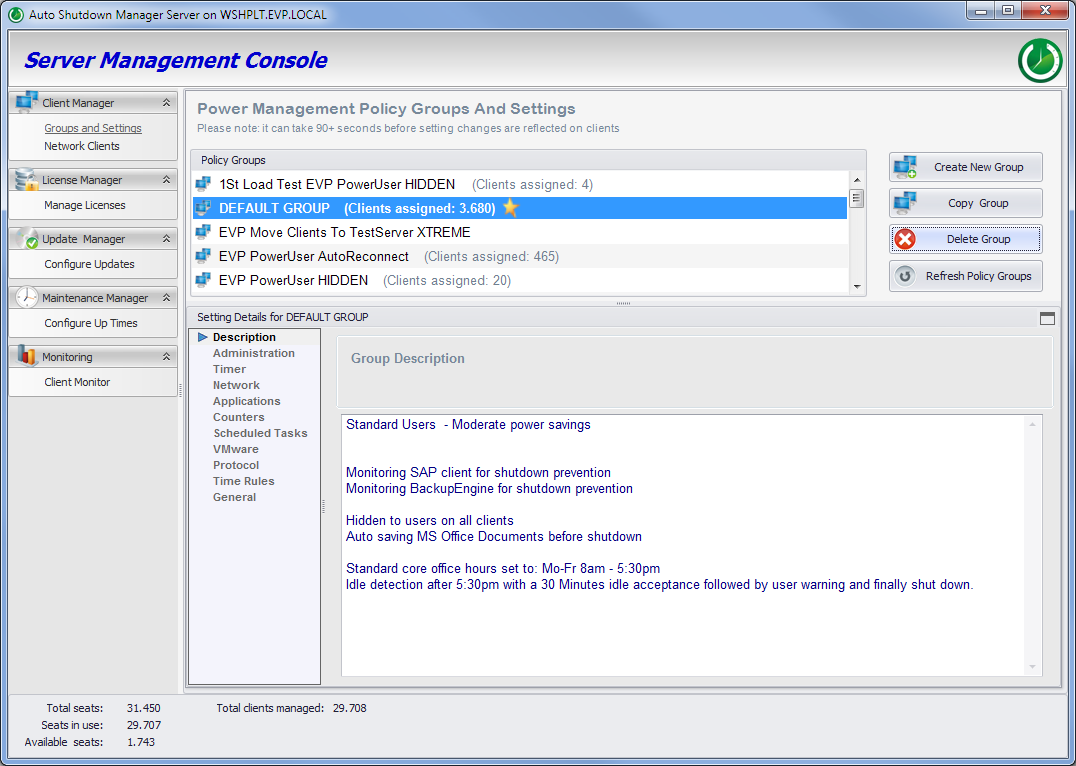
Manage clients through policy groups
Group endpoints by department, location or operational role, then apply the appropriate shutdown, wake and maintenance settings centrally.
Power and maintenance workflows
Shut down safely. Wake reliably.
ASDM combines time rules, activity checks, remote actions and scheduled wake events so maintenance can happen without leaving every PC running.
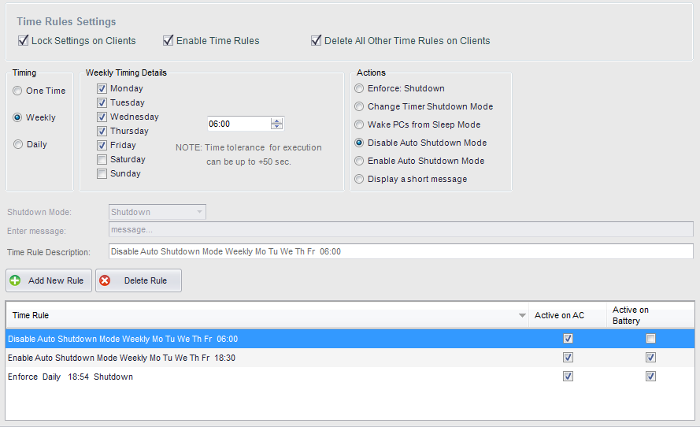
Configure shutdown rules and office hours
Define when time rules apply, how idle devices should react and which safeguards must be respected before a shutdown starts.
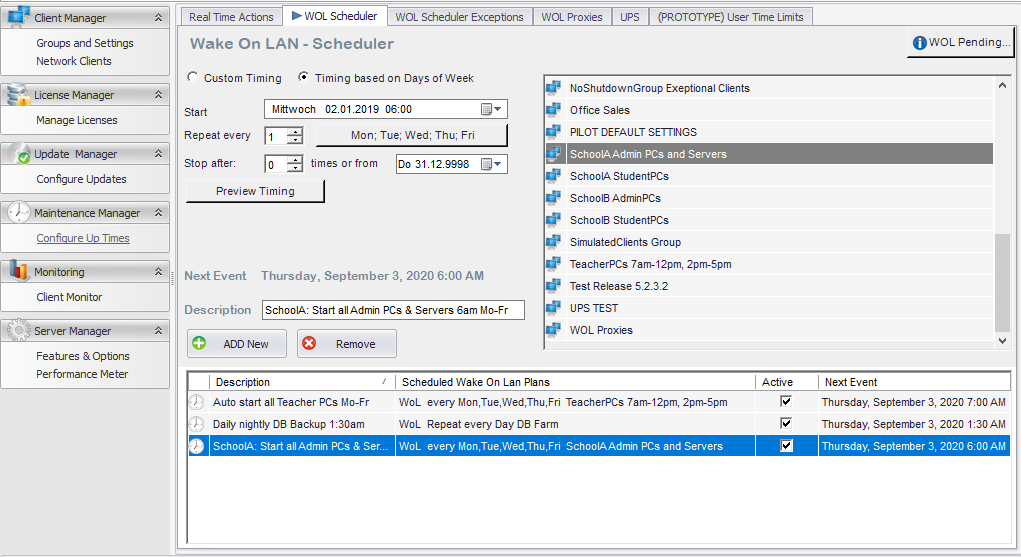
Schedule wake events and remote actions
Wake selected groups before updates, maintenance or the start of the working day, then return them to the correct power state afterwards.
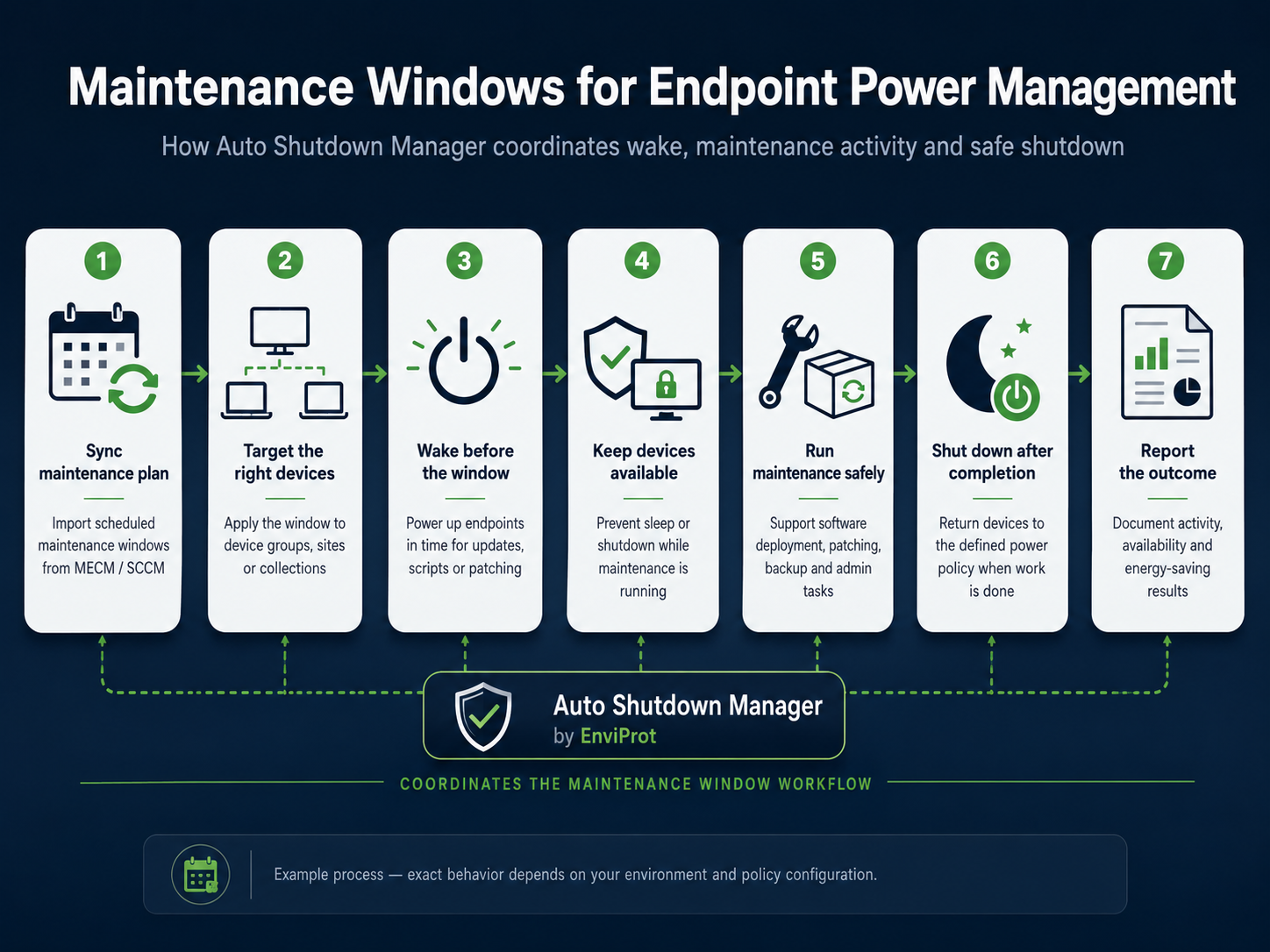
Coordinate the complete maintenance window
Bring wake, readiness checks, patching, reporting and safe shutdown into one controlled sequence instead of treating power management as a separate afterthought.
Remote access and portals
Give authorised users a controlled way to wake systems
Browser-based access can expose only the assigned computers and actions needed for remote work, while central policy remains with IT.
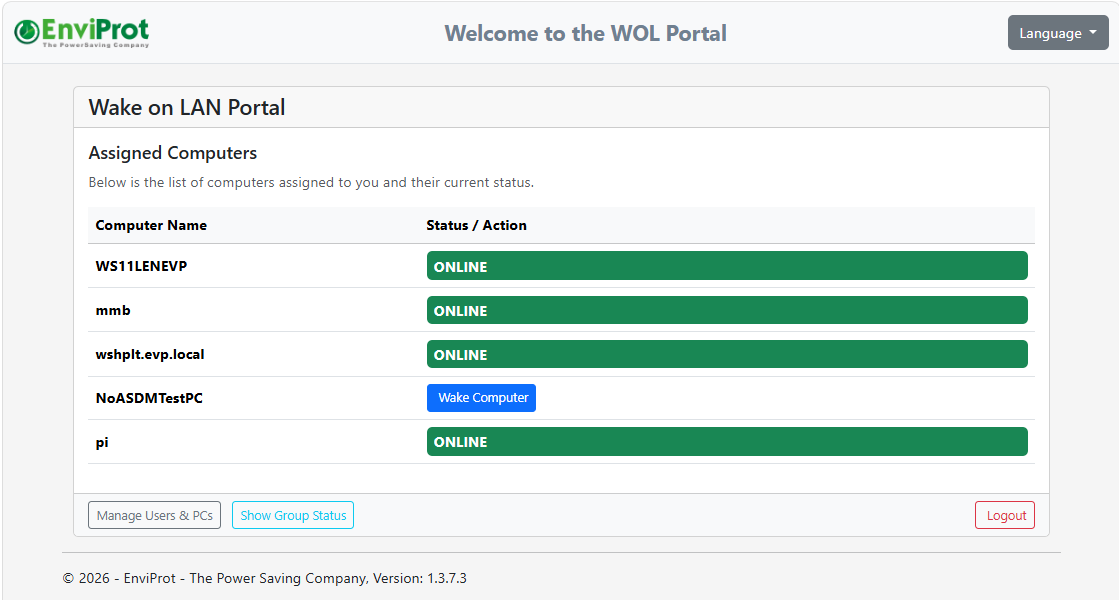
WOL Portal: assigned computers and live status
Users see the computers assigned to them, their current status and the permitted wake action without receiving access to the full management console.
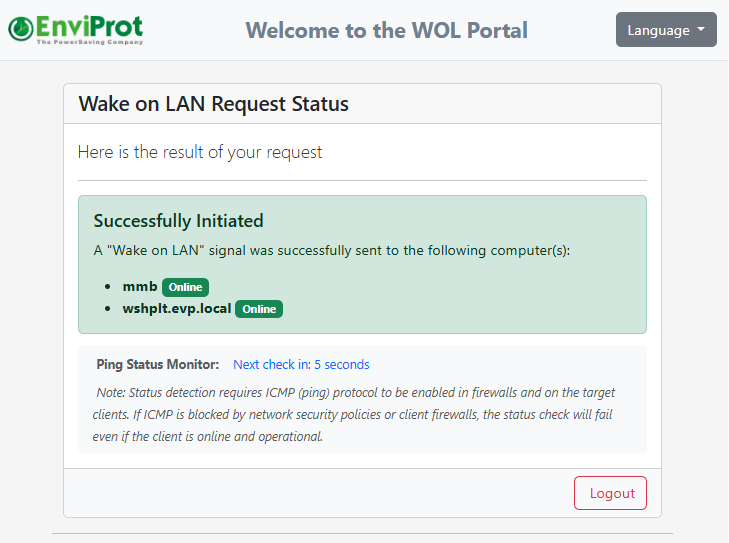
Remote Work / Wake-on-Demand request status
Authorised users can submit a wake request through the web-based experience and immediately see whether the target system was found, requested and brought online.
Existing IT operations
Fit power and wake control into the tools IT already uses
ASDM complements deployment and management workflows by making endpoints available for the work, then returning them to the required power state.
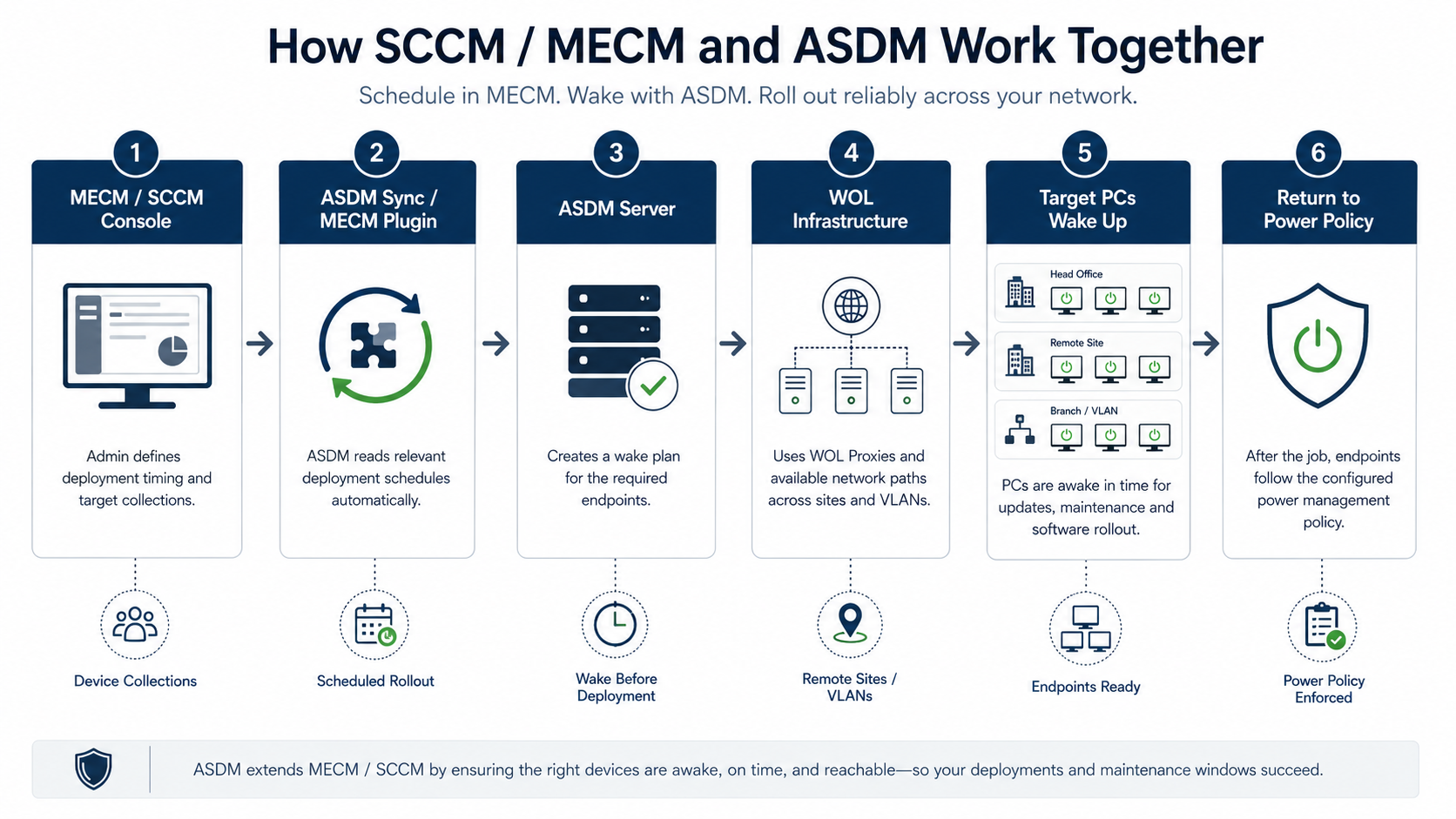
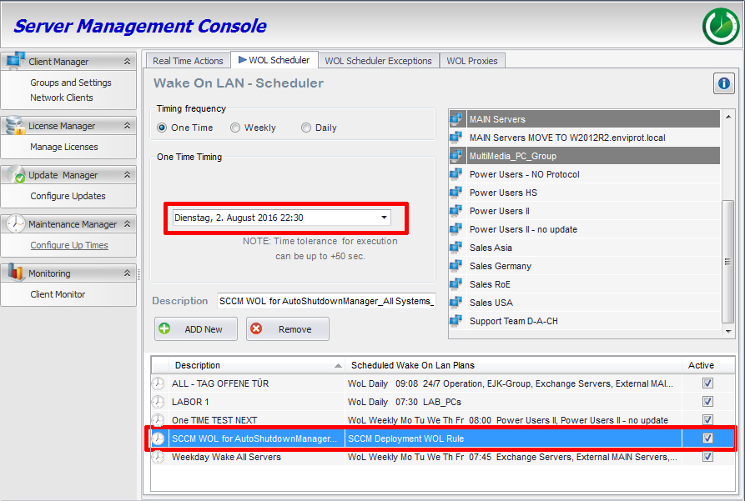
Coordinate ASDM with SCCM/MCM
The workflow connects deployment plans, ASDM scheduling, network wake paths and endpoint readiness without replacing Microsoft Configuration Manager.
Review deployment plans inside ASDM
Administrators can see the deployment-related schedule and target context used to wake systems before software distribution starts.
Reporting and technical detail
Verify runtime, savings and endpoint condition
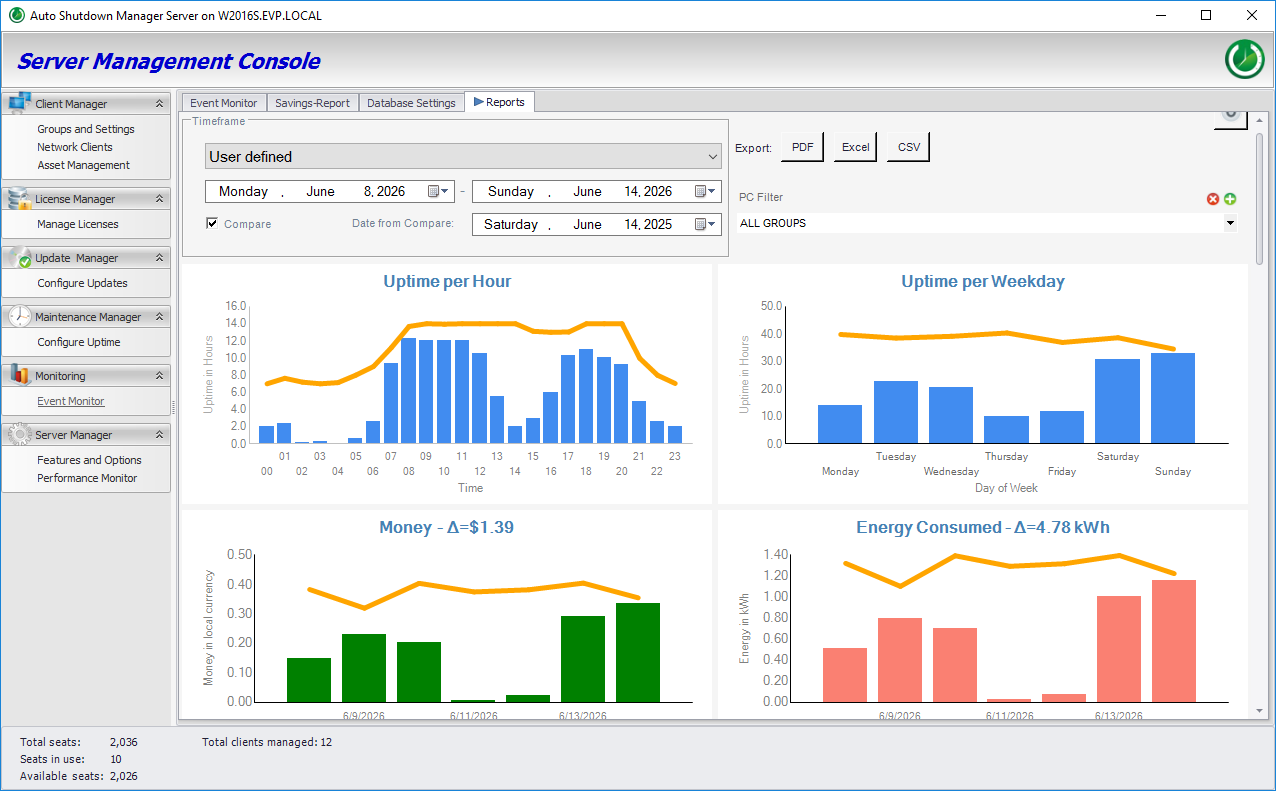
Power management needs evidence. ASDM combines operational reporting with the device-level detail needed to investigate outliers and support decisions.
Review runtime, energy and uptime trends
Use central reports to compare activity patterns, runtime and energy-related outcomes across the selected scope.
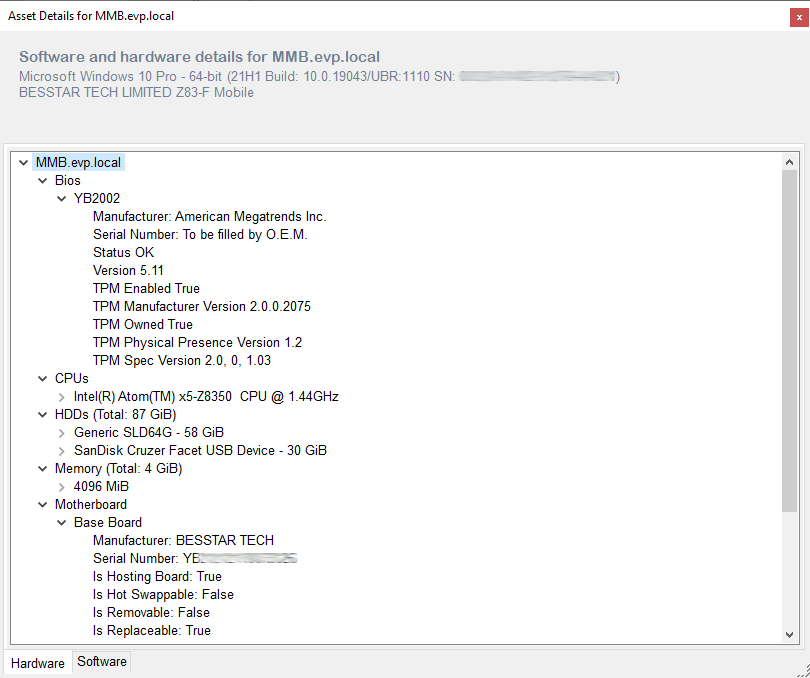
Inspect device-level hardware details
Drill into an endpoint when a report, driver issue or deployment question requires more technical context.
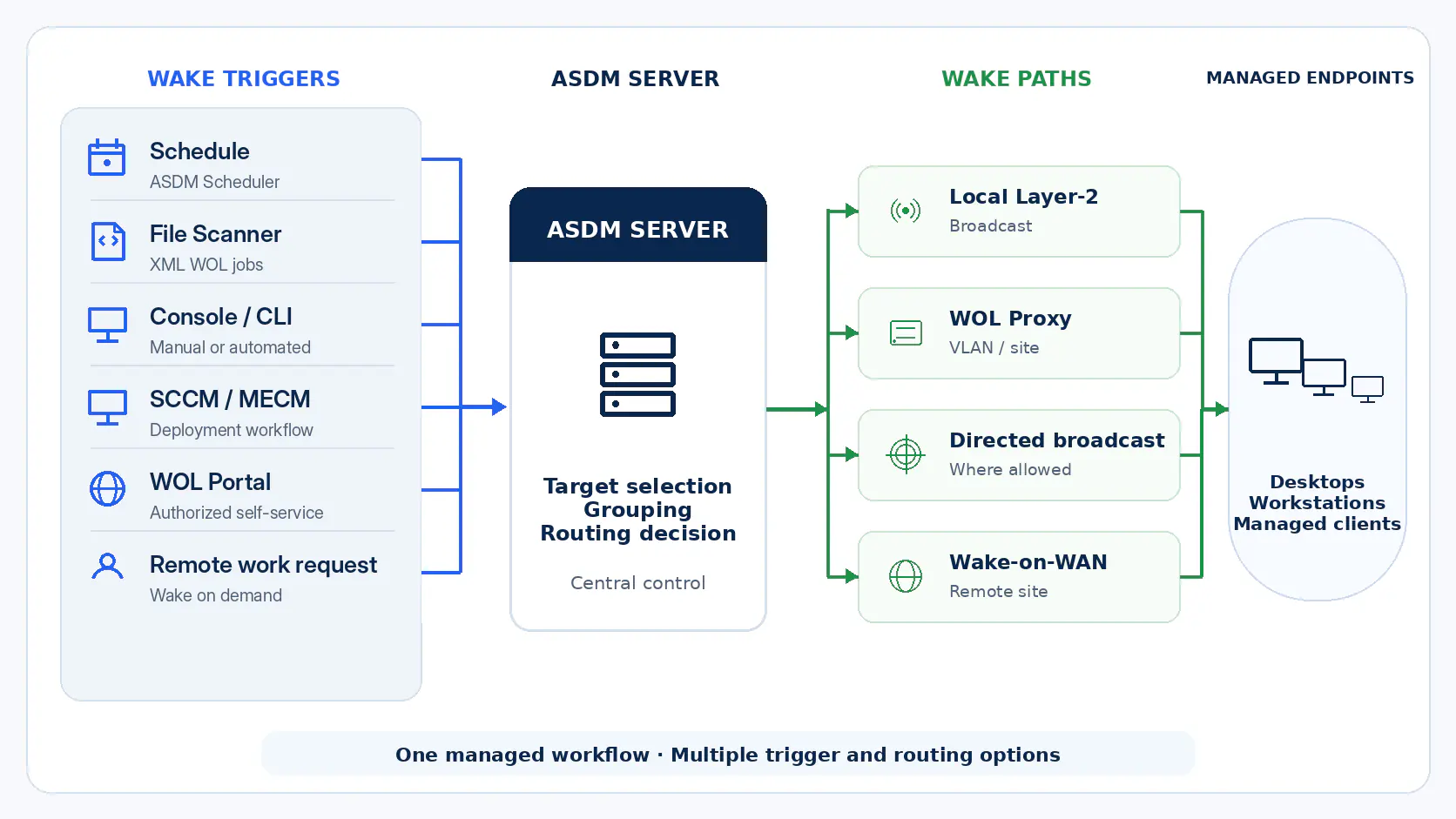
Wake architecture
See how wake requests reach distributed endpoints
Reliable enterprise Wake-on-LAN depends on more than a single broadcast. ASDM can combine central scheduling, WOL proxies, directed broadcast and remote requests within one managed flow.
Multiple wake sources, routes and endpoint groups
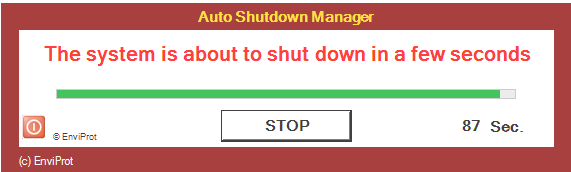
User notification and controlled interaction
Before shutdown, ASDM can display an administrator-defined message that includes the company name, the warning text and the support contact details relevant for that environment.
Need a view that is not shown here?
The trial and sales process can focus on the exact workflow that matters in your environment, including policy exceptions, network wake paths, reporting or deployment integration.
Product-tour questions
What to know about these screenshots
Are these real Auto Shutdown Manager screens?
Yes. The screenshots and technical visuals come from real ASDM product views or accepted technical pages. Demo or anonymised data may be used.
Can the interface look different in our environment?
Yes. Available panels, labels and data can vary by ASDM version, enabled modules, permissions and the workflow being configured.
Can we inspect the screens at full size?
Yes. Select any real screenshot to open the full-size image in the site viewer.
How can we see a workflow that is not included?
Use the enterprise trial or contact Sales for a walkthrough focused on your deployment, wake, shutdown, remote-work or reporting requirements.
Evaluate with your own endpoints
Move from screenshots to a controlled pilot
Test the management console, safe shutdown logic, wake reliability and reporting in your own environment before deciding on a wider rollout.